Claude.ai
Use the web connector when you work in Claude.ai.
Add a custom connector
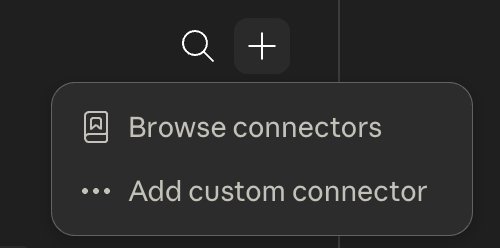
Open Customize → Connectors, press the +, and choose Add custom connector.
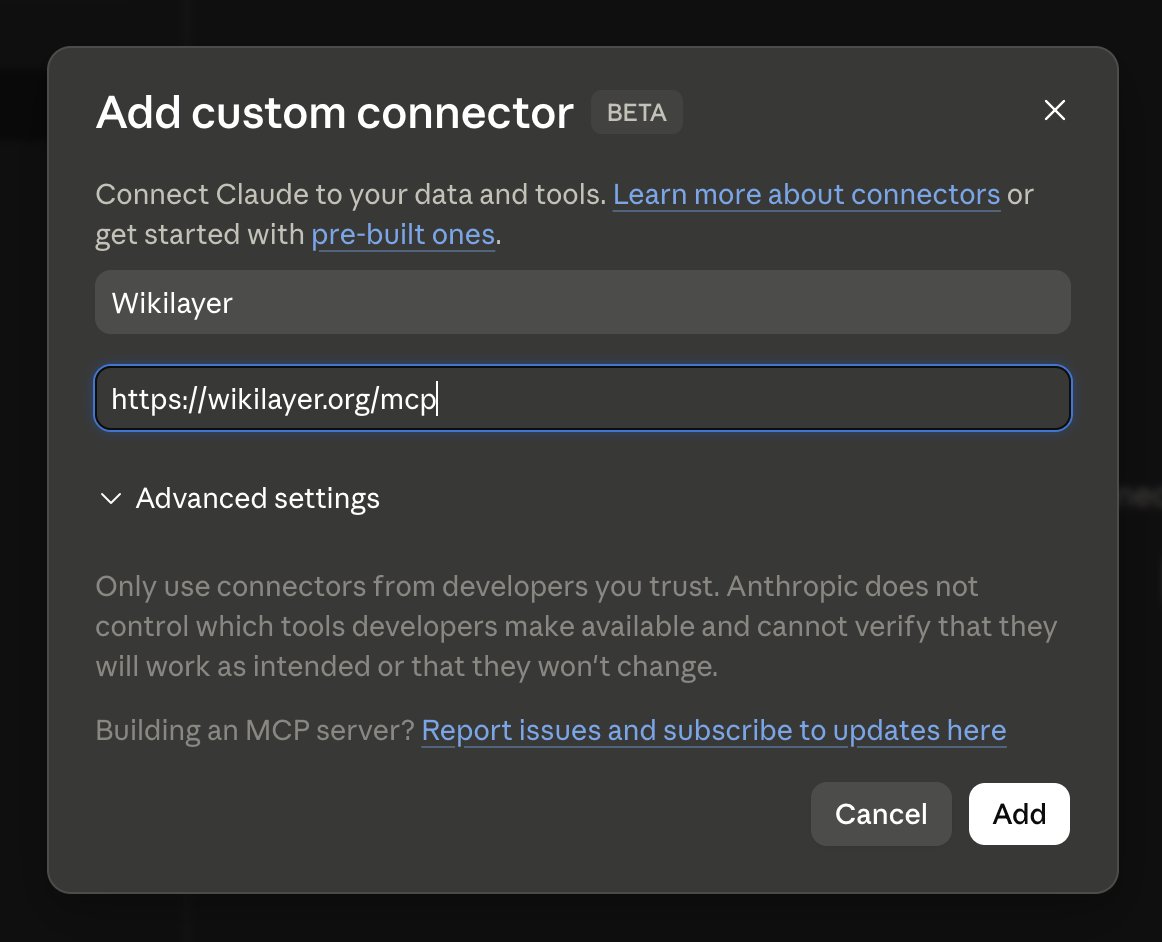
Give it any name and paste this hosted Wikilayer MCP URL:
https://wikilayer.org/mcp
Then confirm the dialog.
On a Team or Enterprise plan, an organization owner first adds the connector in Organization settings, and members then connect it under Customize. Anthropic's guide has the current steps for each plan.
Authorize access
Wikilayer opens in your browser. Sign in and approve access. After that you are back in Claude. In a chat, the connector is switched on or off under + → Connectors.
Claude Code
Connect Wikilayer from a terminal, then add Wikilayer skills if you want repeatable review and translation workflows.
Connect the MCP server
claude mcp add --transport http wikilayer https://wikilayer.org/mcp
claude mcp login wikilayer
The first command stores the Wikilayer endpoint. The second opens browser authorization; sign in to Wikilayer and approve access.
What's next
Once Claude can reach Wikilayer, try the first steps. If you use Claude Code, you can also install the Wikilayer skills.