Connect ChatGPT directly to Wikilayer's MCP server to try new tools before they reach the official plugin.
Add a custom MCP server
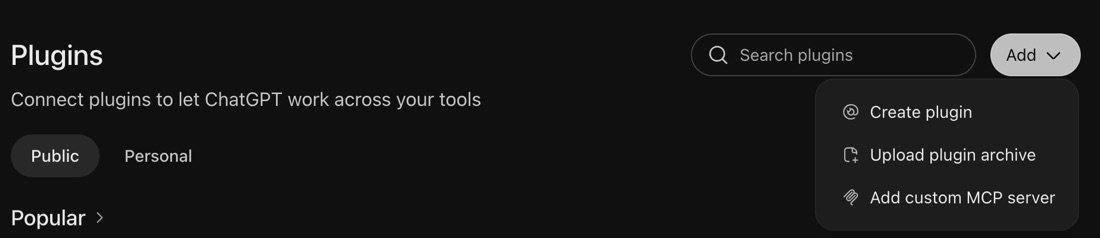
Open Plugins, press Add, and choose Add custom MCP server.
Fill in the server
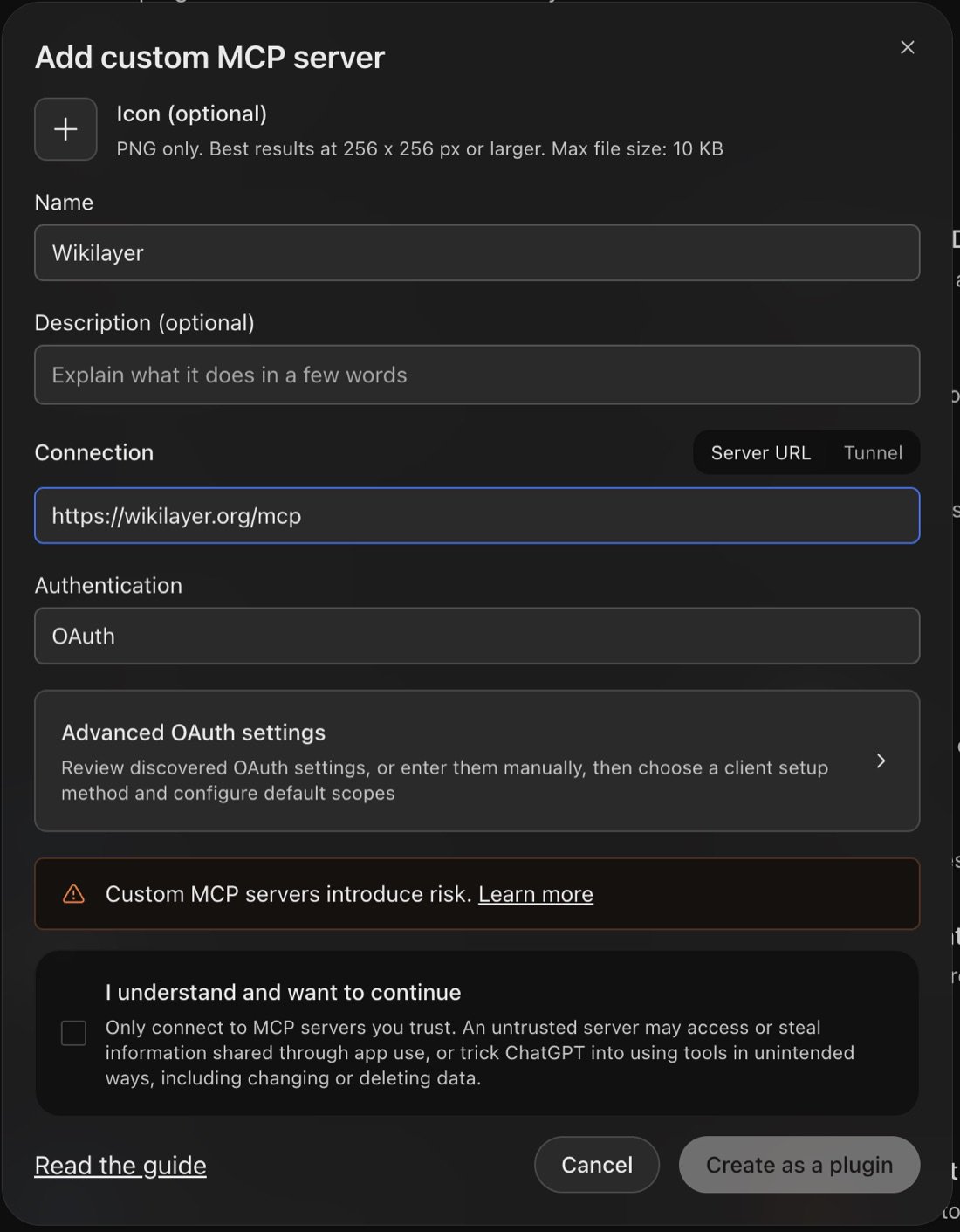
Give it a name and paste this hosted Wikilayer MCP URL under Server URL:
https://wikilayer.org/mcp
Leave Authentication on OAuth, tick I understand and want to continue, then press Create as a plugin.
OpenAI's guide has the current steps if the screens change.
Authorize access
Wikilayer opens in your browser. Sign in and approve access. After that you are back in ChatGPT, and the plugin is in your Personal plugins: install it there, then pick it in a chat by typing @.