Enable developer mode
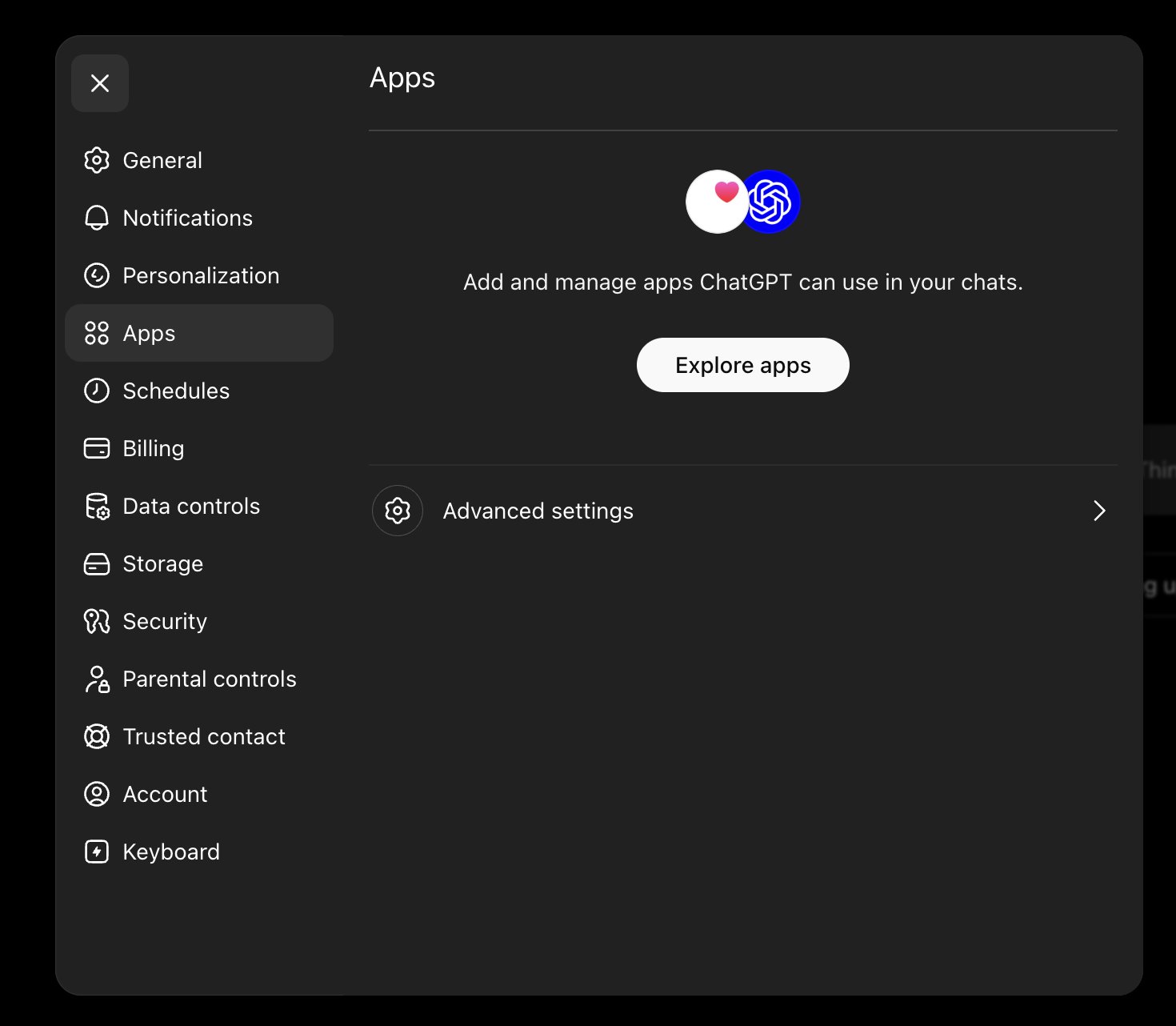
Open Settings → Apps, then open Advanced settings.
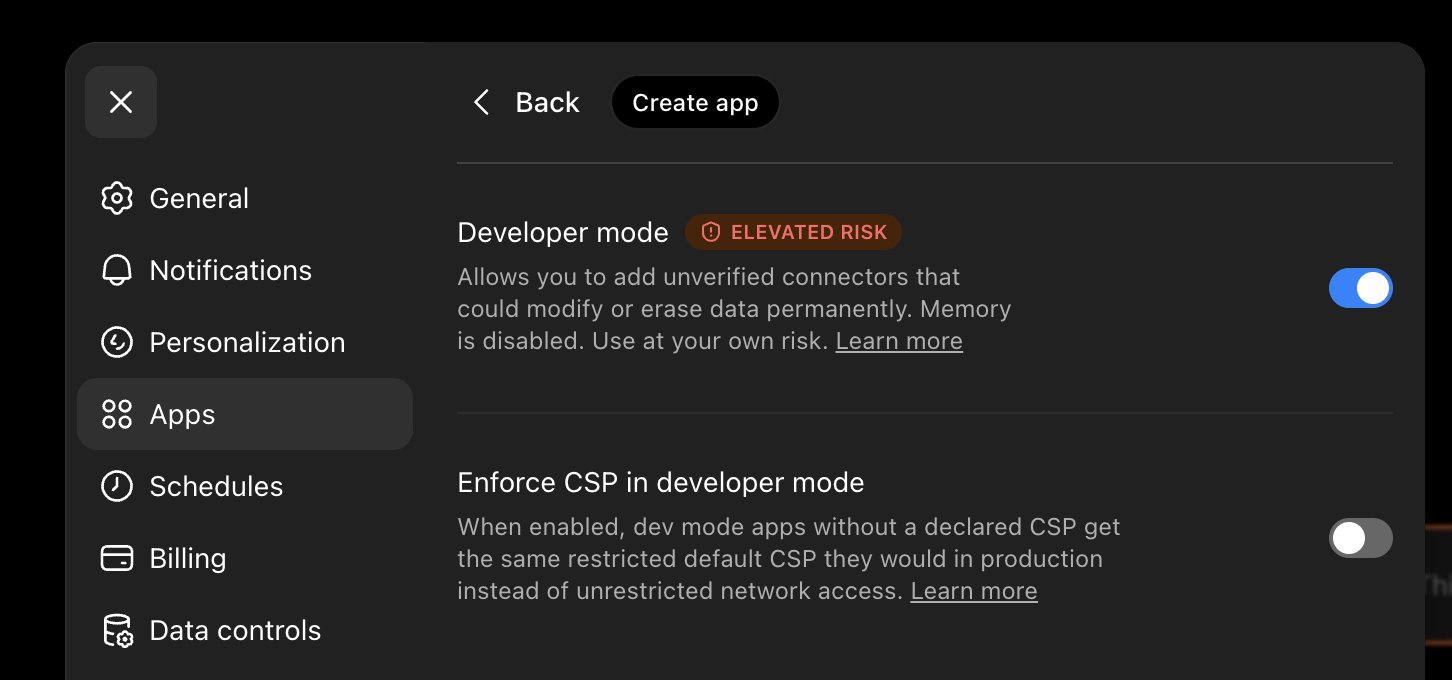
Turn on Developer mode (flagged elevated-risk; it's what lets you add a custom connector). A Create app button then appears at the top.
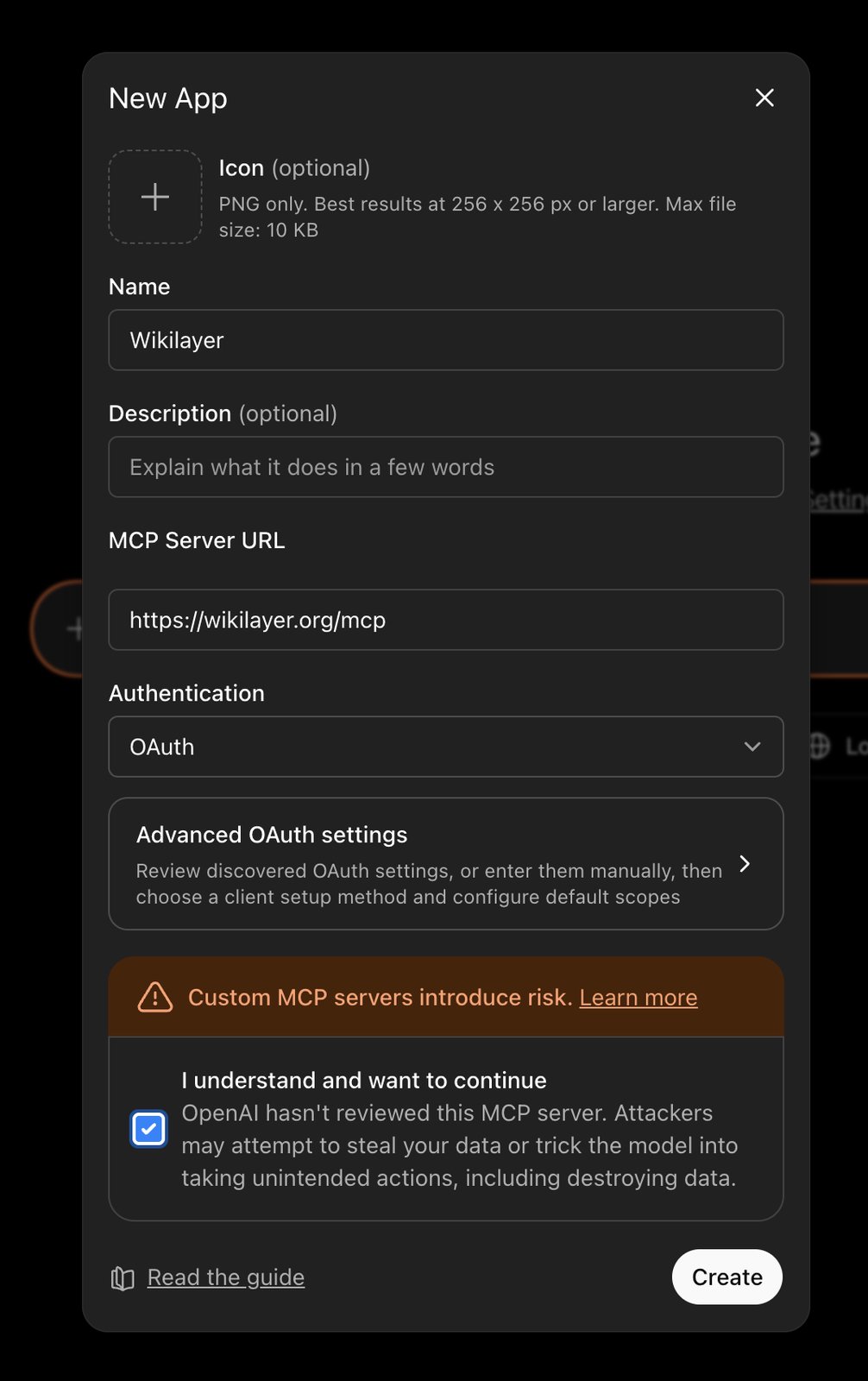
Create the app
Press Create app: give it a name, paste the Wikilayer MCP URL https://wikilayer.org/mcp, set Authentication to OAuth, tick "I understand", then Create.
Authorize access
Wikilayer opens in your browser. Sign in and approve access. ChatGPT redirects you back with the tools available in the apps panel.
What's next
Try a first question to confirm that ChatGPT can see your wikis.