Claude.ai
Use the web connector when you work in Claude.ai.
Add a custom connector
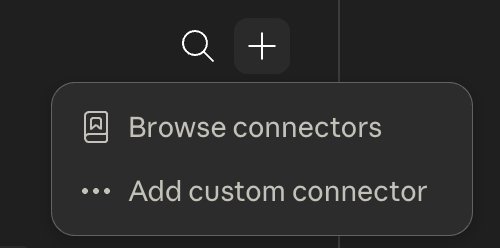
Open Customize → Connectors, press the +, and choose Add custom connector.
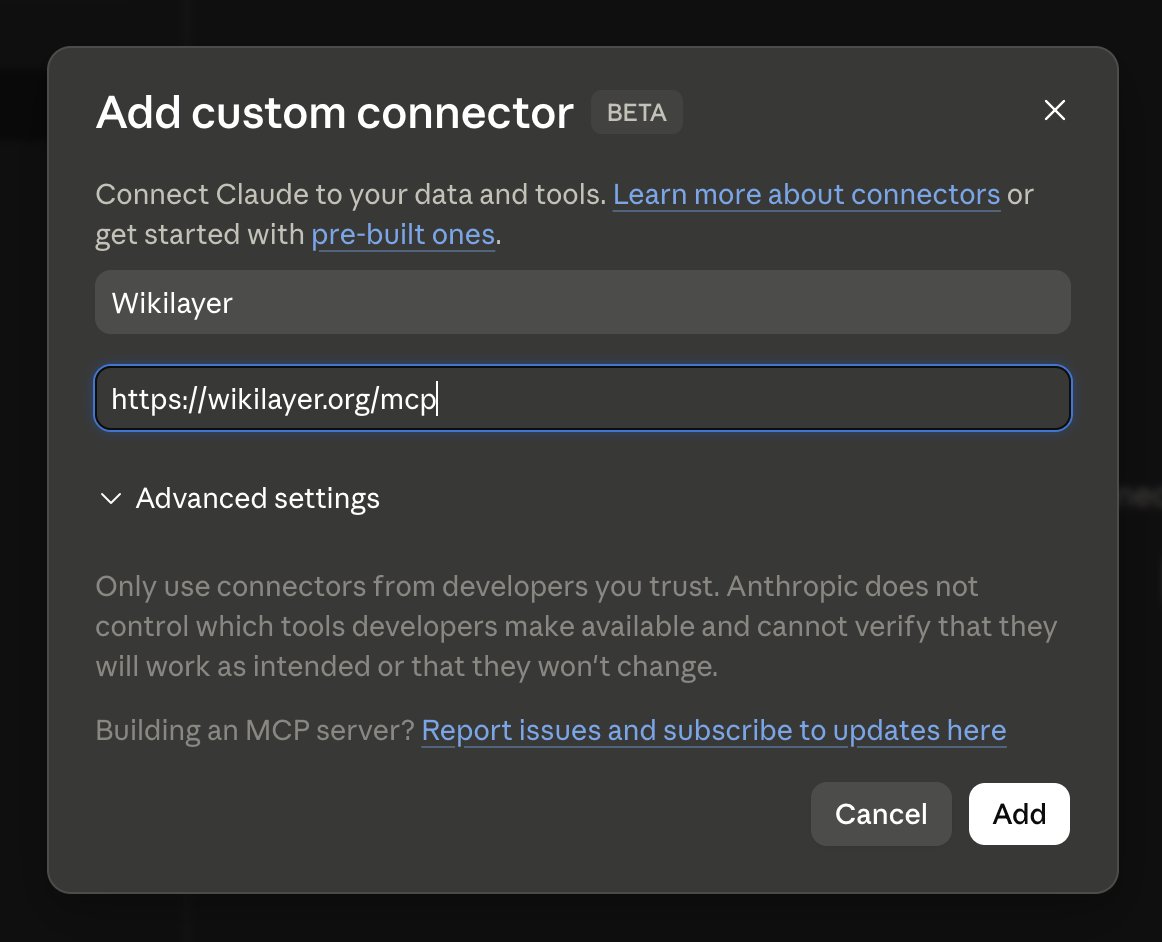
Give it any name and paste the Wikilayer MCP URL https://wikilayer.org/mcp, then Add.
Authorize access
Wikilayer opens in your browser. Sign in and approve access. Claude redirects you back with the tools available in any conversation.
Claude Code
Connect Wikilayer and install its skills from a terminal.
Connect the MCP server
claude mcp add --transport http wikilayer https://wikilayer.org/mcp
claude mcp login wikilayer
The first command stores the Wikilayer endpoint. The second opens browser authorization; sign in to Wikilayer and approve access.
Install the skills
Wikilayer skills add repeatable lint, review, and translation workflows. To help keep your wikis in order, we recommend installing them as a plugin so the commands persist across every session.
From a terminal:
claude plugin marketplace add wikilayer/skills
claude plugin install wikilayer@wikilayer
Or from inside a running Claude Code session, with the same subcommands under /plugin:
/plugin marketplace add wikilayer/skills
/plugin install wikilayer@wikilayer
Either way the slash commands /wikilayer:lint, /wikilayer:review, and /wikilayer:translations become available.
For local development on the skills, skip the install and point Claude at a clone on launch: git clone git@github.com:wikilayer/skills.git && claude --plugin-dir ./skills. After editing a skill, /reload-plugins picks it up without a restart.
Update the skills
Two steps, because an update first pulls the latest from GitHub into the marketplace clone and then reinstalls into a cache every session shares.
From a terminal:
claude plugin marketplace update wikilayer
claude plugin update wikilayer@wikilayer
The full wikilayer@wikilayer id is required on the second command; the bare wikilayer reports "Plugin not found". The same two run in a session under /plugin.
The cache is global, so once it is updated every new session loads the fresh version automatically. An already-open session still holds the old one: /reload-plugins swaps it in without a restart. That command only re-reads the cache, so it does nothing until the update above has run; reloading before the update just reloads the stale version.
What's next
Try a first question to confirm that Claude can see your wikis.